
The world is training bigger models, serving smarter apps, and moving fast toward AI-native products. But there’s a catch: choosing the right AI chip can feel overwhelming. The market is crowded with GPUs, TPUs, NPUs, and custom accelerators—each promising top performance, lower cost, or better efficiency. If you’re building, buying, or learning, understanding AI chips is now essential. This article breaks down AI chips explained in a plain, practical way—what they do, how they differ, and which processors actually power machine learning at scale. By the end, you’ll know how to compare options, avoid common mistakes, and choose hardware that fits your budget, workloads, and roadmap.
Sponsored Ads
What Makes an AI Chip Good? The Real Specs That Matter
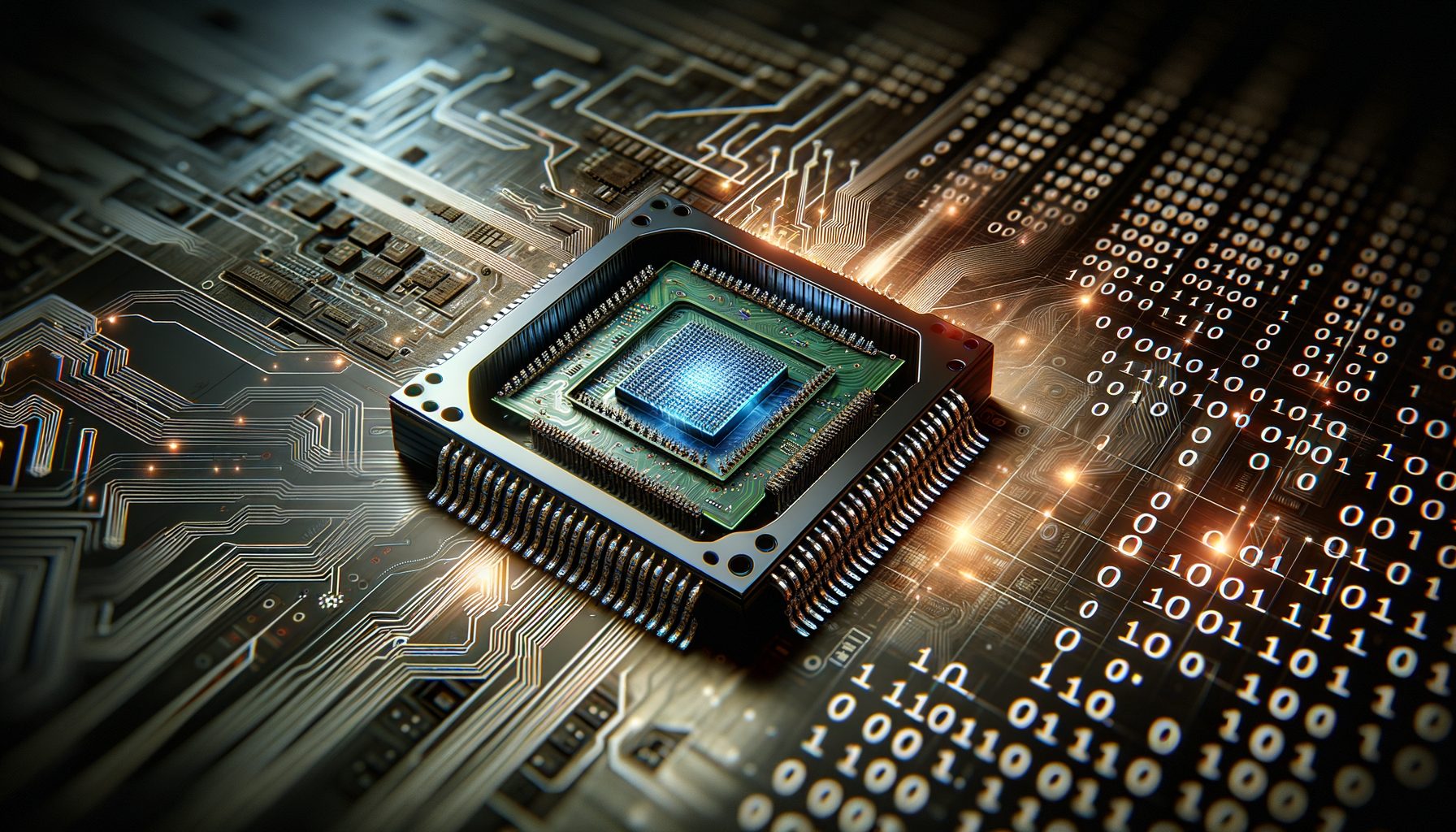
AI chips are specialized processors designed to accelerate linear algebra operations (matrix multiplies, convolutions) that dominate deep learning. But raw compute alone doesn’t win. In practice, performance comes from a balanced system: fast math units, high memory bandwidth, efficient interconnects, mature software, and reliable availability. Think of it like a racing team: the engine matters, but tires, pit crew, and fuel strategy decide the podium.
Start with the dataflow. Training large neural networks requires moving massive tensors in and out of memory. That’s why memory bandwidth and capacity often bottleneck models long before compute does. If the model doesn’t fit in memory, you’ll need sharding across multiple chips, which increases complexity and communication overhead. Chips with larger HBM (high-bandwidth memory) and faster on-package bandwidth reduce “data starvation” and keep cores busy.
Interconnect is the next pillar. When you scale beyond a single device, the speed and topology of chip-to-chip links (e.g., NVLink, PCIe, custom fabrics, or optical meshes) determine how efficiently gradients and parameters synchronize. Poor interconnect turns a fast device into a slow cluster. This is why vendors invest heavily in networking—and why rack-level design is as important as individual chip specs.
Software and ecosystem are make-or-break. A chip that runs PyTorch or TensorFlow with mature kernels, graph compilers, and mixed-precision support will deliver higher real throughput than a theoretically faster chip with thin libraries. Look for support across common frameworks, inference runtimes (ONNX Runtime, TensorRT, Torch-Triton), and popular model repos such as Hugging Face. Also check the toolchain: profilers, debuggers, quantization, and distributed training support make a big difference in developer productivity.
Finally, consider total cost of ownership (TCO): not just list price, but power draw (watts), cooling, datacenter density, and availability. Lead times can dwarf theoretical performance—hardware you can’t get is performance you don’t have. Market data in 2024 consistently showed one vendor owning the majority of AI accelerators; that concentration affects both price and wait times. Plan for realistic delivery windows and have a Plan B.
Bottom line: the best AI chip isn’t always the one with the biggest FLOPs on paper. It’s the one that fits your model sizes, matches your scaling plan, is supported by your software stack, and arrives when you need it.
GPUs vs TPUs vs NPUs vs Custom Accelerators: Strengths and Trade-offs
GPUs (graphics processing units) became the default for machine learning because they’re programmable, widely available, and backed by deep software ecosystems. They excel at both training and inference, support mixed precision (FP16/BF16), and scale across nodes with fast interconnects. If you want flexibility—computer vision, language models, diffusion images, recommenders—GPUs are the most versatile bet, with abundant examples, tutorials, and pretrained weights.
TPUs (tensor processing units), pioneered by Google, target large-scale training and inference with custom matrix units and tightly coupled interconnects. In managed clouds, TPUs can offer strong price-performance for training large language models or ranking systems, especially when you benefit from Google’s orchestration, networking, and compiler stack. The trade-off is ecosystem specificity: you’ll rely on the TPU toolchain, and some libraries may require adaptation compared to standard CUDA or ROCm workflows.
NPUs (neural processing units) typically refer to on-device accelerators in phones, laptops, and edge devices. They’re optimized for efficient inference with low power budgets: think real-time transcription, image enhancement, on-device assistants, or AR effects. The benefit is privacy, latency, and offline reliability. However, NPUs aren’t generally used for large-scale training; they’re designed to run distilled or quantized models at the edge, often paired with CPU/GPU for pre/post-processing.
Custom accelerators, from startups and hyperscalers, focus on unique value: wafer-scale engines for massive memory locality, domain-specific dataflows for sparse models, or specialized inference silicon for ultra-low-latency serving. These can unlock impressive performance in niche scenarios—like trillion-parameter inference or extreme batch-throughput. The trade-off is vendor lock-in, smaller developer communities, and sometimes longer integration cycles. Evaluate these when your workload is stable, high volume, and the vendor can prove operational maturity.
Choosing among them depends on your phase and priorities: – Exploration and prototyping: GPUs provide the fastest path from idea to results. – Hyperscale training: TPUs or top-tier GPUs with strong interconnects win, depending on your cloud and frameworks. – Edge and mobile: NPUs give best energy efficiency and latency for on-device AI. – Specialized serving: consider custom inference accelerators if they integrate cleanly with your stack and SLAs.
In short, GPUs maximize flexibility, TPUs excel in structured large-scale training in compatible clouds, NPUs dominate edge inference, and custom silicon shines when your workload is stable enough to exploit specialization.
Top AI Processors You Should Know
NVIDIA’s data center GPUs remain the most widely deployed accelerators for training and inference at scale. Their strengths include mature CUDA libraries, high-bandwidth memory, fast interconnects (NVLink/NVSwitch), and rich ecosystem support from PyTorch, TensorFlow, and inference runtimes. This combination, along with robust developer tools and MLPerf results, has kept NVIDIA dominant in many production stacks.
AMD’s MI-series accelerators have become credible alternatives, especially for workloads tuned to ROCm and modern PyTorch builds. High HBM capacity is attractive for large models that would otherwise need more sharding. As ROCm support expands and container images mature, organizations seeking supply diversity and competitive pricing increasingly evaluate AMD for both training and high-throughput inference.
Google Cloud TPUs offer strong price-performance in managed settings, with generations like v4 and v5e/v5p supporting BF16 and large-scale training via tightly integrated fabrics. If you’re already on Google Cloud and use TensorFlow or JAX extensively, TPUs can simplify scaling and reduce time-to-train, especially for large language models and recommenders. The trade-off is that some PyTorch-first workflows may need extra work to fully optimize.
Intel’s Gaudi line targets cost-effective training and inference, with Ethernet-based scaling and a toolchain focused on PyTorch. Gaudi has found traction where openness of networking and price-performance matter, particularly for organizations building their own clusters with familiar Ethernet fabrics. As the software stack matures, Gaudi is worth piloting for common LLM and vision benchmarks to measure real-world TCO.
Cloud-provider silicon like AWS Trainium (training) and Inferentia (inference) aims to improve cost and availability inside their ecosystems. If you prefer managed services and are optimizing for steady-state workloads (e.g., consistent inference traffic), these accelerators can be compelling. Evaluate model compatibility, compiler maturity, and the migration cost from GPU-tuned pipelines before committing widely.
At the edge, Apple’s Neural Engine and Qualcomm/MediaTek NPUs power on-device features: image segmentation, translation, transcription, and low-latency assistants. Expect these to shine with quantized models (INT8/INT4) and frameworks like Core ML or ONNX Runtime Mobile. For developers, the playbook is: prototype in the cloud, then compress and deploy to the edge with platform-specific toolchains.
No single device wins every scenario. The winning strategy is portfolio thinking: standardize on one or two accelerators for training, choose a cost-optimized path for inference, and adopt edge NPUs where latency or privacy demands it.
How to Compare AI Chips: A Practical Checklist
Comparisons that only cite FLOPs miss the point. Use this checklist to evaluate devices for your specific workloads, then validate with small pilots.
1) Model fit and memory: Can one device hold your largest model and batch size? If not, what’s the minimum number of devices needed? More shards mean more communication and complexity.
2) Throughput and latency: Measure tokens/sec for LLMs or images/sec for vision at real batch sizes. Track p50/p99 latency for inference, not just averages.
3) Precision and accuracy: Verify FP16/BF16/FP8 or INT8 support and check accuracy deltas after quantization. A fast chip with degraded model quality may fail your use case.
4) Interconnect and scaling: Evaluate intra-node and inter-node bandwidth and topology. Benchmark all-reduce efficiency for distributed training. Networking can make or break scaling beyond a few devices.
5) Software and ops: Confirm framework version support, kernels for your ops, profiler availability, and deployment tooling (Triton, TorchServe, TensorRT/ORT/ROCm). Strong ops tools reduce engineering toil.
6) Cost and availability: Include list price, cloud rates, power, cooling, rack density, and delivery times. Availability is a real constraint—model your timelines realistically.
| Accelerator | Best For | Ecosystem Strength | Notes |
|---|---|---|---|
| NVIDIA Data Center GPUs | General training + inference | Very strong (CUDA, PyTorch, TensorRT) | Broadest community, strong interconnect options |
| AMD MI-Series | Large models, cost competition | Growing (ROCm, PyTorch) | Attractive HBM capacity; ecosystem maturing |
| Google Cloud TPU | Large-scale training in GCP | Strong (JAX/TensorFlow) | Great for managed scaling; consider toolchain fit |
| Intel Gaudi | Cost-efficient training over Ethernet | Improving (PyTorch focus) | Appealing for open networking and TCO |
| AWS Trainium/Inferentia | Cloud training/inference cost control | Strong within AWS | Check compiler/model compatibility |
| Mobile/Edge NPUs | On-device inference | Platform-specific (Core ML, ONNX Mobile) | Best for latency, privacy, and offline use |
Helpful resources for fair comparisons include MLPerf results and vendor whitepapers. Also measure on your own models using open scripts from frameworks or communities like MLPerf, PyTorch, and Hugging Face.
Scaling Your AI Stack: From Single GPU to Efficient Clusters
Most teams start with a single accelerator, then scale up and out. Scaling up means choosing devices with more memory and bandwidth; scaling out means adding more devices and interconnects. The moment you cross the boundary into multi-GPU or multi-node training, networking and software orchestration become first-class concerns.
For training at scale, aim for a topology with high intra-node bandwidth (e.g., NVLink/NVSwitch-equivalent) and predictable inter-node links. Use libraries that optimize collective operations (NCCL, RCCL, or vendor equivalents) and adopt pipelines like tensor/sequence parallelism for LLMs. Keep your checkpointing robust and incremental; failures on large clusters are normal, not exceptional.
For inference, decide between high-throughput batch serving and low-latency streaming. Batch-friendly accelerators shine when you can accumulate requests. For real-time assistants, prioritize latency, token generation speed, and scheduling strategies (continuous batching, speculative decoding). Keep quantized builds (INT8/INT4) ready to cut costs without sacrificing quality where acceptable.
Observe power and cooling early. High-density racks can challenge existing datacenter envelopes. Model TCO with a one- to three-year horizon: hardware cost, energy, cooling, networking, and engineering time. Often, the cheapest hardware is not the cheapest system once you factor developer efficiency and reliability.
Finally, standardize your toolchain. Adopt containers with pinned driver versions, CI for model builds, and unified observability across training and serving. A consistent stack—framework + compiler + runtime—prevents “works on box A but not on box B” headaches. When in doubt, follow vendor reference architectures and community best practices before customizing.
Useful starting points include NVLink/NVSwitch overviews, AMD ROCm docs, Google TPU docs, AWS Trainium, and Intel Gaudi.
Q&A: Quick Answers to Common Questions
Q: Do I need a GPU to train modern models?
A: For most deep learning tasks, yes. GPUs offer the best mix of performance, ecosystem, and availability. Alternatives (TPUs, Gaudi, AMD) can be great depending on your cloud, tooling, and cost goals—test with your own workload.
Q: How much memory (HBM/VRAM) do I need?
A: For small vision/NLP models, 16–24 GB can work. For LLM fine-tuning and larger models, 40–80+ GB per device is common. If the model doesn’t fit, use sharding, gradient checkpointing, LoRA adapters, or quantization.
Q: Can consumer GPUs handle AI?
A: Yes for learning, prototyping, and some fine-tuning. For production-scale training or large-model inference, data center accelerators with more memory, bandwidth, and better interconnects are recommended.
Q: Are TPUs only for TensorFlow?
A: TPUs are strongest with TensorFlow and JAX. PyTorch support exists in various forms but typically requires more effort. Choose TPUs if your stack aligns and you’re in Google Cloud.
Q: What’s the fastest way to compare chips?
A: Run your model end-to-end on small pilots across candidates, measure tokens/sec (or images/sec), p99 latency, and cost per 1M tokens served. Cross-check with MLPerf and vendor references.
Conclusion: Build a Practical, Future-Ready AI Hardware Strategy
We explored how AI accelerators really work, what specs matter, and how GPUs, TPUs, NPUs, and custom chips trade off flexibility, cost, and scale. We looked at the leading processors, a practical comparison checklist, and a roadmap for growing from one device to robust clusters. The key insight is simple: the best AI chip is the one that fits your models, your timeline, and your budget—within a software ecosystem your team can operate confidently.
Here’s your action plan: define your top workloads for the next 6–12 months, estimate model sizes and target latencies, and shortlist two or three accelerators that fit. Run a week of pilot benchmarks on your real models, measuring throughput, latency, and cost per result. Validate software maturity—drivers, compilers, quantization, distributed training—and make sure you can get the hardware when you need it. Standardize your stack (containers, frameworks, runtimes), and automate deployment and observability from day one to minimize operational surprises.
If you’re just starting, pick the path with the strongest ecosystem and learning resources so you can ship something valuable quickly. If you’re scaling, focus on interconnect, memory capacity, and TCO. For edge use cases, embrace NPUs and tight model compression to deliver low-latency, privacy-preserving experiences. And remember: availability and developer velocity often trump theoretical peak performance.
Your next step: choose a target model and run a mini-bakeoff this week. Use open benchmarks, start with default vendor containers, and document results. Share findings with your team and decide where to double down. Momentum beats perfection—ship, learn, iterate.
The future belongs to builders who combine smart silicon choices with great software. You’ve got this. What’s the first model you’ll benchmark?
Sources and Further Reading:
– MLPerf Benchmarks: https://mlcommons.org/en/mlperf/
– PyTorch: https://pytorch.org/ | TensorFlow: https://www.tensorflow.org/
– NVIDIA NVLink/NVSwitch: https://www.nvidia.com










