
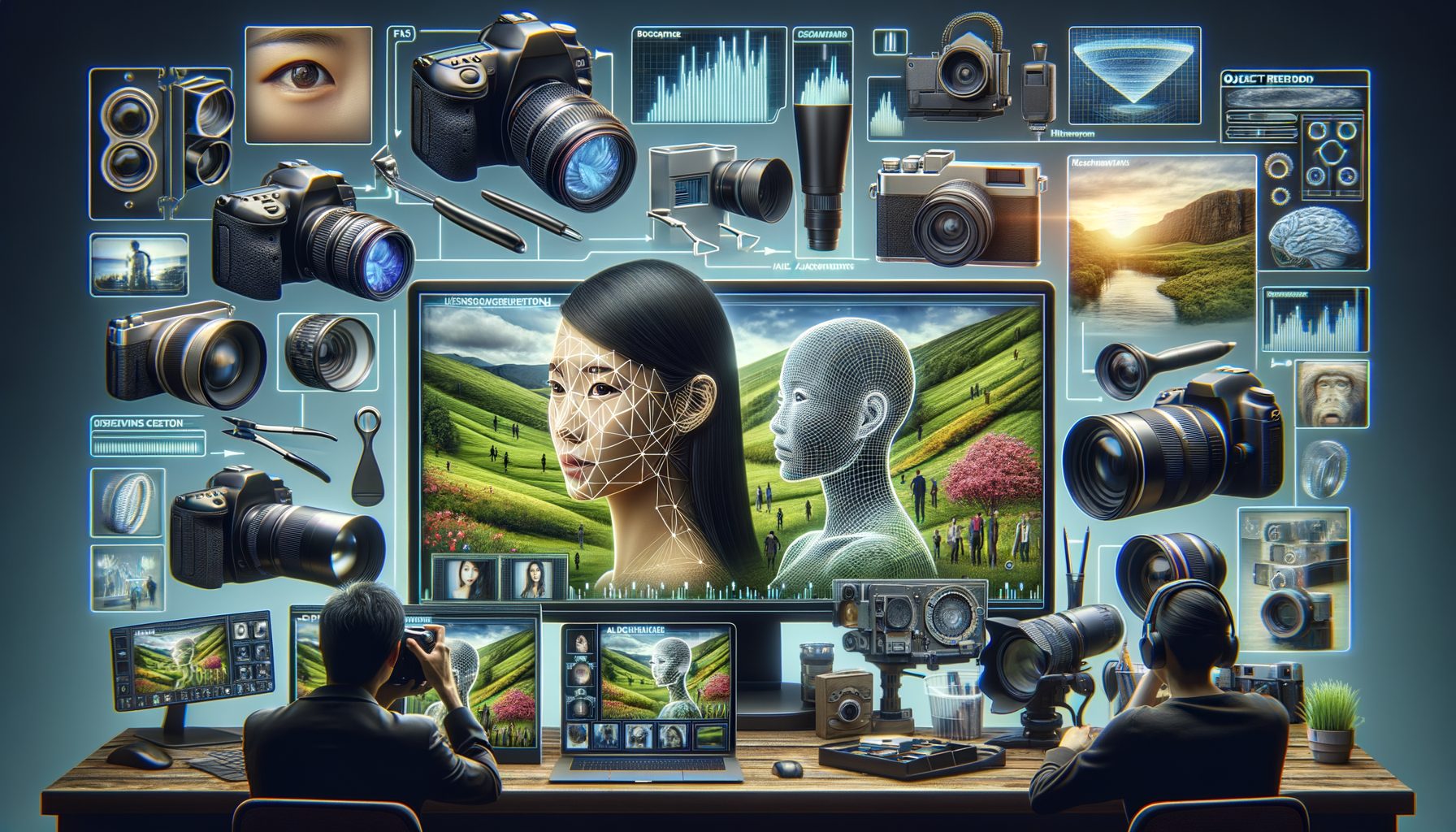
Image processing is everywhere—from the camera on your phone and the filters in your favorite social app, to medical scanners, satellites, and industrial robots. Yet for many teams, the challenge isn’t capturing images; it’s turning raw pixels into reliable insights fast. Noise, blur, lighting changes, and scale differences make images messy. Choosing the right algorithms and tools can feel confusing and expensive. In this guide, you’ll learn what image processing really is, which algorithms matter, which tools to use, and how real companies apply it—so you can go from pixels to decisions with confidence.
Sponsored Ads
The Real Problem: Why Image Processing Matters Now (and Where It Fails)
Everyone takes more photos and videos than ever, and businesses collect massive visual data streams—from CCTV cameras to drone footage. The opportunity is huge: better safety, faster quality control, clearer medical diagnosis, and more immersive creative experiences. But the reality is messy. Images vary in resolution and format, sensors introduce noise, motion causes blur, and lighting shifts between scenes, causing models to fail. Teams often discover that a model trained on perfect studio images fails under real conditions like rain, motion, or low light. This “domain shift” problem wastes time and budget when pilots don’t generalize to production.
Another challenge is latency and cost. Sending every frame to the cloud is expensive and slow, but edge devices are resource-constrained. Engineers must make tight trade-offs between accuracy, speed, and energy use. On mobile, battery and thermal limits shape every choice. In healthcare and public spaces, privacy rules add complexity: you need anonymization or on-device processing to stay compliant. And while deep learning gets the headlines, classic image processing is still the workhorse for pre-processing, data augmentation, quality checks, and fast heuristics that make AI more reliable.
For example, a retail team might want to automatically remove backgrounds for product photos. If they skip pre-processing, tiny shadows and wrinkles confuse segmentation. A simple combo—white-balance, contrast normalization, and edge-preserving smoothing—can dramatically improve cutouts before a neural net even runs. In manufacturing, high-gloss metal parts cause specular highlights that look like defects; polarization-aware capture plus morphological filtering handles many of these without retraining the entire model. In short, image processing matters because it’s your first line of defense against bad inputs, and it often solves 80% of the problem with 20% of the compute.
The payoff is clear: better inputs, faster inference, lower bandwidth, and more trustworthy outputs. The risk of ignoring it is equally clear: brittle systems, high cloud bills, and poor user experience. The good news is that the core ideas are straightforward once you know when to use which technique. Let’s unpack them.
Core Image Processing Algorithms, Explained in Plain Language
Think of image processing as a toolbox for cleaning, enhancing, and understanding images. You don’t always need deep learning; often, lightweight algorithms do the job faster and more predictably.
Pre-processing and enhancement: Images are messy. Denoising removes random speckles from sensors. Median filtering is great against salt-and-pepper noise, while Gaussian blur smooths gently but can soften edges. Bilateral filtering preserves edges while reducing noise—handy for faces and textures. Histogram equalization and CLAHE improve contrast in low light by redistributing brightness; CLAHE avoids over-amplifying noise in flat regions. White balance and color correction bring skin tones and product colors back to natural. Sharpening (unsharp mask) recovers crispness after denoising; use it sparingly to avoid halos.
Geometric transforms: Cropping, rotation, and resizing bring images to a consistent scale. Perspective transforms (homography) straighten documents or road signs taken at an angle. For real-time tasks, prefer fast resampling methods and precompute transformation matrices to save CPU/GPU cycles. When accuracy matters (e.g., OCR), test different interpolation methods—bicubic can preserve detail better than nearest-neighbor.
Frequency domain tricks: The Fourier transform decomposes images into frequencies. Low-pass filters remove high-frequency noise; high-pass filters emphasize edges and fine detail. You rarely implement this from scratch, but knowing it helps diagnose problems like ringing artifacts from aggressive sharpening or JPEG compression.
Edges and features: Edge detectors (Sobel, Scharr, Canny) find boundaries where intensity changes sharply. Canny is still a gold standard for clean edges with low noise. Feature detectors and descriptors (SIFT, SURF, ORB) identify repeatable points in images for matching scenes, tracking objects, or stitching panoramas. ORB is fast and patent-free, good for mobile. These features power classic tasks like augmented reality markers or panorama stitching without heavy models.
Segmentation and thresholding: Separating foreground from background can be as simple as choosing a threshold. Otsu’s method finds a global threshold from the histogram, while adaptive thresholding handles uneven lighting. Watershed segmentation treats brightness like elevation to split touching objects (useful for overlapping pills or cells). For crisp shapes with noise, combine segmentation with morphological operations.
Morphology: Erosion and dilation shrink or grow regions; opening (erode then dilate) removes small noise, and closing (dilate then erode) fills small holes. These are powerful cleanup steps after thresholding or semantic segmentation. A few well-chosen morphological steps can rescue an overconfident deep network by fixing tiny gaps or specks.
Color spaces and compression: Converting RGB to HSV makes it easier to isolate colors (e.g., detect ripe fruit by hue). YCrCb separates luminance from chroma; many compression algorithms (like JPEG) operate here. Be aware that aggressive JPEG compression introduces blocks and blurs fine text; for OCR, use higher quality or PNG.
When to use what: If your input varies a lot in lighting, start with color normalization and CLAHE. For tiny text or barcodes, sharpen after denoising and consider super-resolution. For object boundaries, use Canny edges and morphological closing. For motion blur, a deconvolution filter can help, but stabilizing your capture (tripod, faster shutter, multiple frames) is often better. The guiding principle: clean early, enhance only what helps the downstream task, and measure whether each step moves metrics in the right direction (PSNR, SSIM, precision/recall for detection).
Tools, Libraries, and a Practical Workflow You Can Use Today
You don’t need to reinvent the wheel. Mature, open, and commercial tools cover most needs across platforms. For general-purpose processing, OpenCV is the de facto standard with fast C++ and Python APIs. For Pythonic, research-friendly routines, scikit-image offers clean implementations and clear docs. For basic loading, resizing, and format conversions, Pillow is lightweight and reliable. In engineering and academia, MATLAB Image Processing Toolbox provides interactive workflows and excellent visualization, while biologists often use ImageJ/Fiji for microscopy and batch macros. If you’re combining classic processing with deep learning, frameworks like PyTorch and TensorFlow integrate well with OpenCV and scikit-image. For deployment across environments, ONNX helps convert and optimize models.
On mobile, iOS’s Core Image and Vision frameworks, and Android’s ML Kit, offer hardware-accelerated filters and on-device inference. On the edge, stick to SIMD-accelerated libraries and leverage GPU/NPUs where possible. For cloud pipelines, serverless functions can batch process images, but be mindful of cold starts and memory limits.
A practical workflow looks like this: define the outcome (e.g., “reduce photo background removal errors by 30%”). Collect a representative dataset that includes difficult cases—low light, motion, diverse backgrounds. Prototype a pre-processing chain with OpenCV or scikit-image: white-balance, denoise, contrast normalize. Define baseline metrics: for image quality, use PSNR or SSIM; for detection/segmentation, use precision, recall, IoU. Add steps only if they improve metrics on a held-out validation set. When integrating deep learning, treat image processing as a guardrail: standardize inputs, augment data (random crops, color jitter), and use classic post-processing (morphology, contour filtering) to refine network outputs.
For deployment, plan for environment differences. A pipeline that works in the lab may struggle in the field due to lens smudges or seasonal lighting. Implement health checks: monitor brightness histograms, blur metrics, and input size. Add rollback paths and shadow deployments to test new steps safely. If latency matters, benchmark on target devices and prune steps. Convert models to ONNX, TensorRT, Core ML, or TensorFlow Lite to hit frame-rate targets without sacrificing accuracy. Document assumptions and keep a small set of “golden” test images to catch regressions quickly.
| Task | Typical Algorithms/Models | Tools | Example KPI |
|---|---|---|---|
| Denoising in low light | Median/Bilateral filter, multi-frame averaging | OpenCV, scikit-image | +3 dB PSNR, +0.05 SSIM |
| Background removal | Color clustering, Canny + morphology, U-Net | OpenCV, PyTorch/TensorFlow | +10% mIoU, -30% manual edits |
| Document OCR | Perspective correction, adaptive threshold, dewarping | OpenCV, Tesseract | +8% character accuracy |
| Defect detection | Edge/texture analysis, classical rules + CNN | OpenCV, ONNX Runtime | -40% false alarms |
| Face anonymization | Face detection + pixelation/blur | OpenCV, Core Image | 100% PII faces obfuscated |
Real-World Use Cases and What Actually Works
Healthcare imaging: Radiology workflows rely on robust pre-processing. Contrast normalization and denoising make subtle structures more visible to both clinicians and AI models. In ultrasound, speckle noise reduction and edge-preserving filters improve boundary clarity. Regulatory bodies emphasize reliability and transparency in AI-enabled imaging; see the U.S. FDA’s guidance on AI/ML devices for a sense of best practices and expectations around validation and monitoring (FDA AI/ML Medical Devices). A practical tip: store the processing parameters with each study so results are auditable and reproducible.
Smartphone photography: Night modes on phones use multi-frame image processing—capturing multiple short exposures, aligning them with feature matching, and merging to reduce noise while keeping detail. Google’s HDR+ and Night Sight are prominent examples of computational photography improving low-light shots through sophisticated but efficient processing (Google AI Blog: Night Sight). For your app, you can mimic this pattern at smaller scale: align 3–5 frames using ORB features, median-merge, then apply CLAHE and slight sharpening for crisp results.
Manufacturing quality control: Cameras on production lines spot defects faster than humans when the inputs are stable. Simple, well-tuned pipelines—lighting normalization, edge detection, adaptive thresholding, and morphology—catch scratches or misalignments in milliseconds. For complex surfaces, hybrid pipelines work best: a shallow CNN proposes defect candidates; morphology and contour analysis verify shape and size, reducing false alarms. The result is lower scrap rates and consistent quality. General industry analyses show meaningful productivity gains when vision and automation are combined; while numbers vary by sector, double-digit yield improvements and inspection time reductions are common when pipelines are carefully engineered from capture to decision (McKinsey: Digital Transformation).
Retail and e-commerce: Background removal, color consistency, and size normalization increase conversion rates by making product images clear and uniform. Pipelines typically start with white-balance and contrast normalization, then a segmentation model or classical thresholding for clean backgrounds. Final touches—soft shadow synthesis and edge anti-aliasing—make cutouts look professional. If you support user-generated content, robust pre-processing reduces the long tail of problematic uploads (overexposed, blurry, or tinted images) that otherwise degrade the storefront experience.
Security and transportation: License plate recognition pipelines use motion deblurring, contrast normalization, and character segmentation before OCR. For privacy, face detection with on-the-fly anonymization (pixelation or Gaussian blur) allows analytics while respecting regulations. Where bandwidth is limited, send only cropped regions of interest rather than full frames. Keep in mind legal and ethical considerations; processing choices should align with local laws and transparent data policies.
Creative tools and AR: Real-time filters combine color transforms, edge detection, and face landmarks for beautification or style effects. Efficient feature tracking (e.g., ORB or built-in mobile frameworks) anchors AR elements even on mid-range devices. Here, stability beats perfection: prioritize consistent frame rate and low latency over marginal aesthetic gains that cause jitter.
Q&A: Common Questions About Image Processing
Q1: What’s the difference between image processing and computer vision?
A: Image processing manipulates images (denoise, enhance, transform). Computer vision interprets them (detect objects, recognize faces). Processing often feeds vision: cleaner inputs lead to better recognition.
Q2: Do I need deep learning for good results?
A: Not always. Classical methods handle many tasks fast and transparently. Use deep learning when variability is high (complex backgrounds, diverse objects). In production, hybrids are common: classic pre/post-processing around a neural core.
Q3: How do I choose image resolution?
A: Start with the smallest resolution that meets your KPI. Downsample until accuracy drops, then step back up. Higher resolution costs compute and bandwidth; crops on regions of interest often outperform full-frame high-res.
Q4: How do I measure quality improvements?
A: For fidelity, use PSNR and SSIM. For tasks, track precision, recall, IoU, latency, and throughput. Always test on a held-out set that mirrors real-world conditions, not just ideal images.
Q5: Can this run on mobile or edge devices?
A: Yes. Use optimized libraries (OpenCV with NEON/SIMD, Core Image, GPU backends) and quantized models (TensorFlow Lite, Core ML). Minimize copies, batch operations, and profile on target hardware.
Conclusion: From Pixels to Decisions—Start Small, Win Fast, Scale Confidently
We covered the core challenge: real-world images are messy, and inconsistent inputs wreck performance. You learned the essential algorithms—denoising, enhancement, geometric transforms, frequency filters, edge and feature detection, segmentation, and morphology—and when to use them. You saw the tools that make this practical—OpenCV, scikit-image, Pillow, MATLAB, ImageJ, PyTorch/TensorFlow, ONNX—and a workflow to turn ideas into reliable pipelines. Real-world examples showed how healthcare, smartphones, factories, retail, and smart cities use image processing to deliver clarity, safety, and speed. The pattern is consistent: clean early, measure impact, and combine classical processing with AI where it truly helps.
Your next step is simple and actionable. Pick one problem you care about—maybe improving low-light photos, cleaning up product images, or boosting OCR accuracy. Assemble a small, diverse dataset, including the ugly cases that usually break systems. Build a minimal pipeline with OpenCV or scikit-image: white-balance, denoise, contrast normalize, then test. Add or remove steps based on metrics like SSIM and task accuracy. If a neural model is needed, wrap it with pre-processing and post-processing that stabilize results. Finally, deploy a small pilot on the real device or environment, monitor with a few health checks, and iterate.
Start small to win fast. A crisp edge map, a better threshold, or a clever morphological pass can transform results with minimal compute. As you scale, document assumptions, keep “golden” test images, and benchmark on target hardware. Use ONNX or platform-specific runtimes to hit latency targets, and remember privacy by design when images include people. You don’t need a research lab to get excellent outcomes—you need curiosity, a clear goal, and disciplined iteration.
If this guide helped, try building a three-step pipeline today and measure the impact. Share your results, ask for feedback, and keep refining. The world is full of visual data waiting to be understood—your pipeline could be the lens that brings it into focus. What’s the first image you’ll process differently after reading this?
Sources and Further Reading
• OpenCV: https://opencv.org/
• scikit-image: https://scikit-image.org/
• Pillow (PIL










